
Oct 2026 – Present
An old workstation rebuilt as a Proxmox server: a NAS, Home Assistant, photos, git and a dozen apps, each with its own HTTPS name, none of them open to the internet, and a status page that checks every one each minute.
Tech Stack
About this project
What it is
My old workstation (a Ryzen 9 5900X with 94 GB of RAM) rebuilt in October 2026 as a single Proxmox server that runs the house. It holds the NAS, Home Assistant, the family photo library, a private git server, the databases for my own projects, and a Docker host with an app store for everything else.
I built it with an AI coding agent working over SSH, with me making the calls. That worked well, and it also showed exactly where a person still has to be in the loop (more on that below).
How it fits together
- One server, many machines. The NAS runs as its own virtual machine, with the disk controller passed straight through so it sees the three 20 TB drives directly. Home Assistant, a web server, a development box and a Docker host each have their own machine too, so a bad update in one cannot take the rest down.
- Every service gets a proper HTTPS name. One reverse proxy (Caddy) answers for all of them, with a single wildcard certificate issued by DNS challenge. No browser warnings, and no port numbers to remember.
- None of it is open to the internet. The proxy turns away anyone outside the house, and the only way in from outside is Tailscale. The two exceptions are deliberate: photo share links for family, and file transfer for one outside user.
- Backups run every night to a separate drive, with a week of dailies and a month of weeklies, and the databases are dumped as well. An off-site copy is the next job.
The Portal
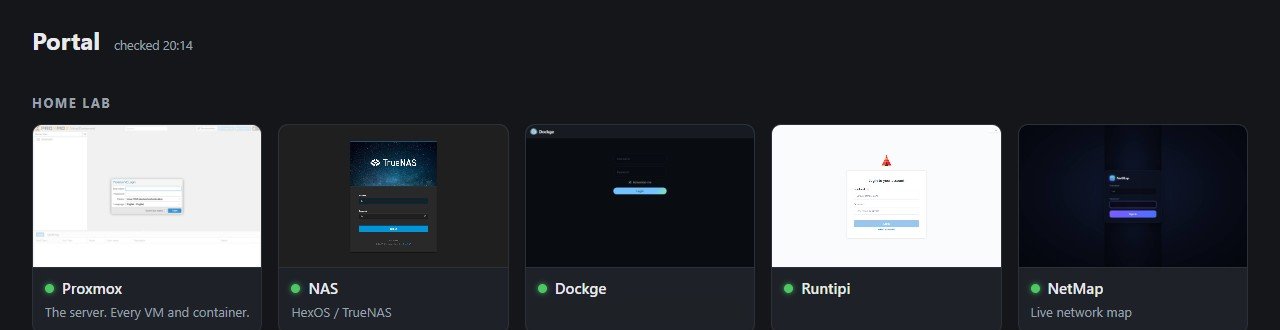
With a dozen services, the question stopped being "how do I set this up" and became "what is running, and where is it". So I built the Portal: one static page, no build step, with a card for every service and every project, a screenshot on each, and a lamp that a small Python script turns green or red every minute. A watcher sends a push notification when something needs attention.
The fiddly bits
- The installer offered to wipe the old pool. The drives still held a NAS pool from a previous build. The new NAS's setup screen offered to erase them, so I imported the pool through the underlying TrueNAS interface instead and kept every file.
- The network clashed with every café. The house used the same address range as most home and café routers, which breaks a VPN the moment you are on someone else's wifi. I renumbered the whole network to a range nobody else uses.
- Apps behind a proxy do not trust it by default. Home Assistant refused requests until it was told to trust the proxy, and the app store failed every save with a 403 for the same reason. Same fix, two places, and now it is a step in the checklist for adding a service.
- The agent could not type a password into a console that does not paste. Some steps need a person at the keyboard, and the trick is knowing which ones before you start.
What I took from it
Everything is written down as it is built: a quick-start page with the house rules, and a checklist for adding a service, so the next change (by me or by an agent) starts from what is true rather than from memory. It is the same habit I bring to support: the fix is not finished until the next person can repeat it.